Weather Forecast & Radar
- 4.5
- Rating
- 5.00M
- Installs
- Free
- Price
 Analysis by App-foxy
I started using Weather Forecast & Radar for the simple reason most people open a weather app: I wanted a quick answer before leaving home. After spending time with its forecast screens, widgets, hourly view, and radar maps, I found it most useful as a practical household reference rather than as a specialist meteorology tool. It is free to install, made by Lite Tools Games, and sits in the weather category with a straightforward focus on current local conditions and planning the next few hours.
That focus matters when several people share the same home or tablet. One person may be checking whether to walk to work, another may be deciding when to take children outside, and someone else may simply want to know whether laundry can go on the line. The app does not need to become a family-management system to be useful in those moments. Its value is that everyone can look at the same local forecast, compare the hourly changes, and make a decision without passing around a complicated set of screens.
How it works in an everyday household
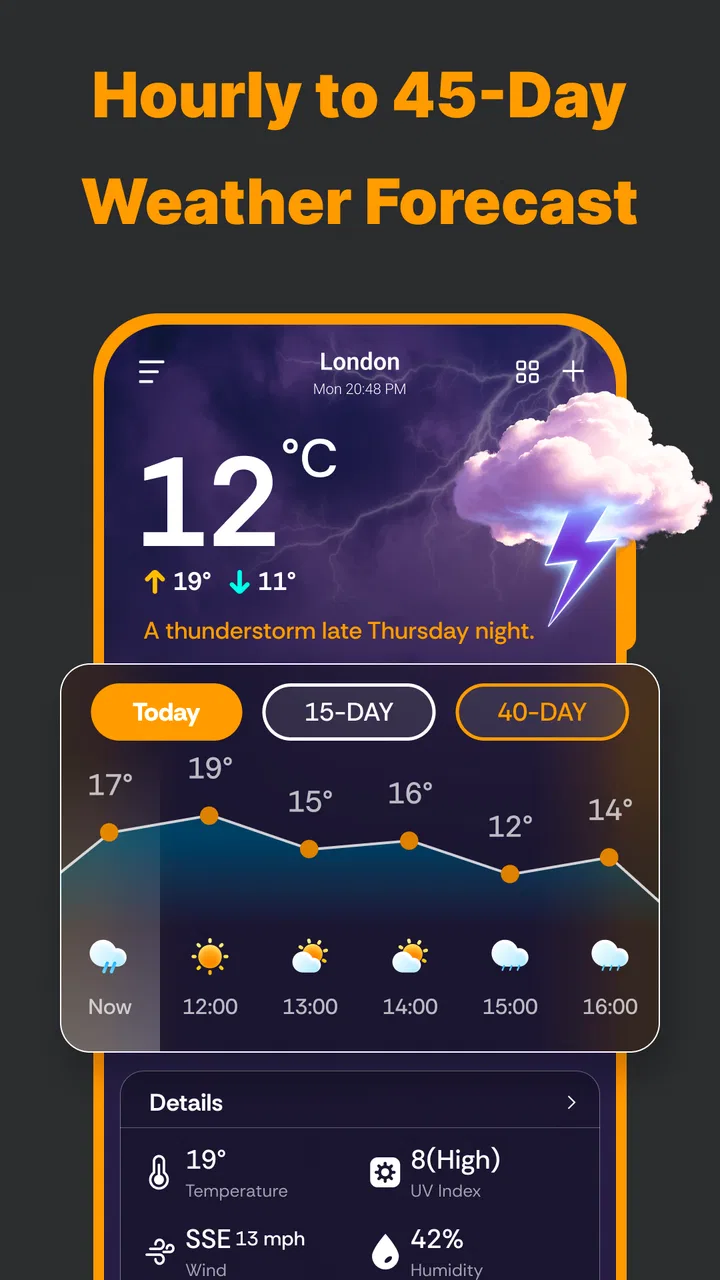
My most natural shared-use scenario was checking the forecast during a busy morning. Instead of opening a browser, searching for a location, and sorting through a large weather page, I could glance at the current conditions and then move to the hourly forecast when timing mattered. That sequence is especially convenient for a household because it turns a vague question such as “Will it rain later?” into a more useful one: “Is there a better window this afternoon?”
You May Also Like

 Blood Strike: 2.5 Anniversary
Blood Strike’s Loadouts Turn Every Drop Into a Tactical Gamble
A close look at Blood Strike’s custom loadouts: how fast access to signature weapons reshapes its battle royale rhythm, rewards preparation, and narrows the gap between fights.

 Pandora - Music & Podcasts
Pandora’s Music Is Easy to Start, but Harder to Recover
Pandora’s strength is its low-effort path from a seed to a station. Its weak spot is how much confidence it asks you to place in connection, setup, and quiet recovery.

 8 Ball Pool
 Is Built on Rivalries, Rematches, and Routine
A close look at the rivalries, rematches, shared routines, and unanswered safety questions that turn a quick pool match into a persistent mobile community.

 Samsung Music
’s Quiet Strength Is Playing What You Already Own
Its reach comes less from spectacle than from dependable access to a personal library. That simplicity is both the app’s strongest retention engine and its ceiling.

 AccuWeather: Weather Radar
AccuWeather Review: A Quick, Clear Forecast for Everyday Decisions
For everyday plans, the best forecast is the one you can understand quickly. AccuWeather makes rain timing, radar, and local conditions easy to act on, with a few trade-offs.

 Hill Climb Racing
Why Hill Climb Racing Still Turns Crashes Into One More Run
A tiny car, a bumpy hill and one more upgrade: Hill Climb Racing keeps resurfacing because its simple chaos makes every near-miss feel personal.
More From Our News Desk



The radar view adds another layer when the forecast alone feels too general. I found it more useful for watching a weather system approach than for making a precise promise about what would happen at one exact address. A parent planning a playground visit, for example, can use the hourly view for the schedule and the radar map for context. Those two views answer different questions, and using them together is more sensible than treating either one as perfect.
Widgets are another reason this app fits a shared device. A person who checks the weather repeatedly may prefer information on the home screen, while another user may not want to open an app at all. I would place a widget where it is easy to see, then open the full app only when I needed the radar or a closer look at the hourly pattern. That small change reduces friction and makes the weather check less disruptive during a rushed morning.
There is also a useful distinction between household coordination and personal customization. If the device belongs to everyone, a shared widget should represent the location the household actually cares about, such as home, school, or a regular workplace. If the same device travels between places, I would check the active location before relying on the forecast. A weather app can be accurate for the wrong place and still lead to a bad decision.
The app’s presentation is best suited to people who want information quickly rather than a long explanation. I did not feel pushed into reading articles or interpreting technical charts before getting to the basic conditions. That makes it approachable for occasional users, older relatives, and anyone who only needs enough detail to decide what to wear or when to leave.
Setting it up without creating confusion
When I set up a weather app on a shared phone, I prefer to establish one dependable reference point first. With this app, I would begin with the household’s main location and test the widget against the full forecast screen before inviting other people to rely on it. That simple check prevents a common problem: one part of the device showing a saved place while another part is being interpreted as the current location.
Location boundaries are worth thinking about even when the app is used casually. A family member may travel with the phone, while the rest of the household assumes the displayed conditions still describe home. For that reason, I would use a fixed saved location when the device is mainly used as a household display, and I would review the location whenever the device starts being used for trips. The right choice depends on whether the priority is home awareness or travel awareness.
I also would not treat a widget as a replacement for opening the app. Widgets are excellent for a glance, but the radar and hourly forecast are more appropriate when the decision has consequences, such as leaving for an appointment or planning an outdoor activity. My practical routine would be: glance at the widget, open the hourly view if timing matters, and check radar when rain appears possible or conditions are changing quickly.
One trade-off is that a simple setup can become less simple if several people change the same device. A child might tap through screens, a guest might switch the location, or another household member might assume the displayed place is still the usual one. I would explain the basic rule to everyone using the device: before making a plan, confirm the location and the update shown on screen. That is not a special feature of the app; it is a sensible boundary for any shared weather tool.
The current version is 1.2.1, and the app runs on Android devices using version 6.0 or later. That gives it a relatively broad reach for households with an older spare phone or tablet. Still, compatibility is only one part of the decision. On a shared device, screen size and readability matter just as much. A small phone is fine for a quick check, while a larger screen makes radar easier to inspect when several people are looking together.
Using the forecast to coordinate real plans
The strongest household use case is coordination around time, not simply checking temperature. Suppose two adults need to leave at different times, one person is collecting a child, and another wants to walk the dog. The hourly forecast can help compare those windows instead of relying on one broad daily summary. I would look for changes in rain or conditions across the relevant hours, then choose the least troublesome period rather than assuming the entire day will be identical.
Radar is particularly helpful when people disagree because they are looking at different evidence. One person may see a rain symbol and cancel an activity immediately, while another notices that the rain is not nearby yet. The map can provide useful context for that conversation. I would still leave room for uncertainty, because radar movement does not guarantee exactly when precipitation will reach a particular street.
A good routine is to make the app part of a short conversation rather than sending screenshots back and forth. For example, one person can check the hourly forecast, another can open the radar, and the household can agree on a departure window. This avoids turning the app into an authority that makes decisions for everyone. It remains a shared information source, which is the role it handles best.
For school mornings, I would check the app twice: once when plans are being made and again before leaving if the weather looks unsettled. That second check is important because a forecast is not a fixed appointment. The benefit of combining live local updates with the hourly view is that the household can adapt without having to rebuild the entire plan from scratch.
For outdoor chores, the app works best when used to identify safer gaps rather than to predict a whole day perfectly. If I needed to wash a car, paint outdoors, or dry clothes, I would use the hourly screen to find a promising interval and radar to see whether a nearby system might interrupt it. I would avoid starting a long task solely because the current icon looks favorable.
People who need severe-weather warnings, highly detailed wind information, or professional forecasting tools may prefer a dedicated service designed around those needs. This app is more comfortable as an everyday planning layer. Its strength is speed and accessibility; its limitation is that a compact weather experience cannot replace every specialized source.
Age, trust, and shared-device habits
The app is rated for Everyone, which fits the way I would introduce it to a household. A child can understand the basic purpose quickly, and an older family member does not need to learn a complicated workflow just to see the local conditions. That said, an age rating should not be confused with guaranteed accuracy or independent decision-making. Younger users may still need an adult to interpret a changing forecast, especially when an outdoor plan involves safety.
I would teach children to use the app for questions such as whether to bring a coat or whether rain appears likely, but not to treat one symbol as a final instruction. The radar map can be interesting and educational, yet it may encourage false confidence if someone assumes the colored pattern predicts their exact location perfectly. A simple household rule works well: use the app to prepare, and ask an adult when conditions look uncertain or serious.
Trust also involves being clear about who is responsible for changing the location shown on a shared device. If one person uses the phone while traveling, the rest of the household should know whether the display is still set to home. I would rather use a clearly fixed location for a shared screen than let everyone assume that automatic context is always obvious.
Account boundaries deserve a practical explanation. I would not assume that a shared device creates separate personal weather spaces for each household member. If different people need different locations, they should check which place is currently active before using the result. Keeping the device’s role clear—home display, travel phone, or personal phone—reduces misunderstandings more effectively than expecting the app to manage household identities.
Privacy-minded users may also prefer a deliberate setup instead of casually enabling every convenience. If the device is mainly kept at home, a saved local place can be more predictable than relying on movement. If it belongs to one person who travels, a location-aware workflow may be more useful. I would choose based on the device’s purpose and review the setting whenever that purpose changes.
What the app does well, and where I would be cautious
The combination of local updates, widgets, hourly forecasting, and radar gives the app a useful range without forcing me into a complex dashboard. I can get a glance from the home screen, inspect the next few hours, and then look at the map when conditions are developing. Those tools complement one another, and that is more valuable than having several views that all repeat the same daily summary.
Its free price makes it easy to try on a spare device or introduce it to relatives who do not want to pay before knowing whether the workflow suits them. The app has an average rating of 4.5 from around 27 thousand ratings, and it has passed 5 million installs, so it is clearly not an obscure experiment. I still treat popularity as a reason to test it, not as proof that it will match every household’s expectations.
There are in-app purchases priced from $4.99 to $9.99 per item. That is worth keeping in mind if several people use the same device, especially when a child or guest can reach purchase screens. I would keep the free experience under observation first and make sure the device’s purchase protections are appropriate before allowing unsupervised use. The presence of optional purchases does not make the app unsuitable for families, but it does make clear setup more important.
The main limitation I noticed is the natural uncertainty of weather information. A radar map can suggest movement, but it does not turn a forecast into a guarantee. Likewise, an hourly forecast is useful for planning but should not be read as a promise that conditions will remain unchanged. For routine choices, that level of uncertainty is acceptable. For outdoor work, travel decisions, or potentially dangerous weather, I would compare it with official alerts and local guidance.
I would also skip this app if my priority were deep historical analysis, advanced meteorological detail, or a highly specialized aviation, sailing, or farming workflow. The interface is aimed at ordinary local planning. Someone who wants extensive layers, technical measurements, or professional-grade interpretation may find a dedicated weather service more suitable, even if it takes longer to learn.
Compared with relying on a phone’s built-in weather panel, the radar and widget combination gives this app a stronger role in planning. Compared with opening a general search engine, it is faster once the location is established. Compared with specialist weather tools, it is easier to approach but less likely to satisfy users who need a large technical dataset. I see it occupying the middle ground: more useful than a single glance, less demanding than a professional forecast console.
My household verdict
After using it as a shared weather reference, I would recommend Weather Forecast & Radar to households that want a quick local check, a convenient widget, hourly planning, and a radar view in one place. It is especially suitable for coordinating school runs, errands, walks, and outdoor chores where the next few hours matter more than a detailed long-range study.
I would set it up with one clearly understood location, explain who may change that location, and treat the widget as a starting point rather than the final word. For children and occasional users, the Everyone rating and uncomplicated purpose are reassuring, but adults should still guide decisions when the weather is uncertain. For shared devices, clarity about the device’s role matters more than trying to make every person use it in exactly the same way.
Lite Tools Games has kept the experience approachable, and the broad Android compatibility helps when a household is reusing an older device. The free entry point is another advantage, although the in-app purchase range means I would establish sensible purchase boundaries before handing the phone to a child. Those are manageable considerations, not reasons to dismiss the app.
My final view is positive but practical: this is a good everyday weather companion, not a replacement for official emergency guidance or a specialist forecasting platform. If your household needs fast answers and a shared visual reference, it earns a place on the home screen. If you need technical depth, exact safety decisions, or separate personalized spaces for many users, I would look elsewhere. For ordinary planning, though, its balance of accessibility and useful weather views makes it an app I would comfortably suggest to a friend.
FAQs for Weather Forecast & Radar
01How accurate is the Weather Forecast & Radar app?
The Weather Forecast & Radar app uses advanced algorithms and data from multiple meteorological sources to provide highly accurate forecasts. It updates regularly to reflect real-time changes in weather conditions, ensuring users receive the most current information. However, accuracy can vary based on location and unforeseen weather changes.
02Does the app offer severe weather alerts?
Yes, the Weather Forecast & Radar app includes severe weather alerts to keep users informed about any upcoming extreme weather conditions. Notifications can be customized based on user preferences, ensuring you receive timely warnings about storms, heavy rainfall, or other severe weather events in your area.
03What features are included in the app’s radar functionality?
The app’s radar functionality provides real-time visualizations of weather patterns, including precipitation, cloud cover, and storm tracks. Users can view detailed maps with zoom capabilities, enabling them to track weather changes at both local and regional levels. This feature is essential for planning and safety during unpredictable weather.
04Is the app user-friendly for beginners?
Absolutely, the Weather Forecast & Radar app features an intuitive interface designed for ease of use. First-time users will find it straightforward to navigate through current conditions, forecasts, and radar maps. The app offers tutorials and tips to help users make the most of its features, ensuring a smooth experience.
05Are there any subscription fees or in-app purchases?
The app is free to download and provides a range of features at no cost. However, there are optional in-app purchases and subscription plans available. These premium options unlock additional features like extended forecasts, ad-free usage, and advanced radar tools, which enhance the overall user experience.
Pros
- Accurate real-time weather updates.
- Interactive radar with detailed overlays.
- Customizable alerts for severe weather.
- User-friendly interface with easy navigation.
- Covers global locations for travelers.
Cons
- Ads can be intrusive at times.
- Requires internet for most features.
- Some features locked behind paywall.
- Occasional lag on older devices.
- Battery drain with prolonged use.

Weather Forecast & Radar
Gallery